
A system for expense tracking, budgeting, and reporting that survives contact with a real office — built faster with AI, not built by AI alone.
By Jason Wyatt, Founder, Jacksonville AI Experts · Last Updated: July 2026
Picture Susan. She runs the office for a twelve-person marketing firm, and back in January she built a clean little expense tracker in about twenty minutes. One tab. A few columns. It worked.
By April, it had four tabs nobody remembered adding, a "totals" cell that quietly stopped updating in March, and three different people typing numbers into three different formats. Nobody trusted it enough to hand it to the owner without checking it by hand first. That is not a Susan problem. That is what happens to almost every financial spreadsheet that grows past its original scope, because most of them were never built to grow in the first place.
Here's the direct answer: a financial tracking spreadsheet holds up when the inputs are separated from the formulas, every number lives in exactly one place, and the structure is decided before a single formula gets written. You can build that structure yourself, or you can have an AI tool build the scaffolding for you in minutes — but either way, the fix is architectural, not cosmetic. This piece walks through both the "why it breaks" and the "how to build it so it doesn't," including how to use AI to do the heavy lifting without losing control of your own numbers.
Key Takeaways
- Most financial spreadsheets fail structurally, not mathematically — the formulas are usually fine, the architecture isn't.
- Hardcoded numbers buried inside formulas are the single most common failure point in office spreadsheets.
- An "Assumptions-first" structure — every input isolated, labeled, and editable — fixes most of this before you write a single formula.
- AI tools can scaffold a financial tracker (sheets, formulas, formatting) in minutes, but the human still has to define and sanity-check the assumptions.
- Office and administrative roles report some of the lowest AI productivity gains of any job category right now — usually because the AI is used generically instead of pointed at a specific, structured task.
Why Do Financial Spreadsheets Fall Apart in the First Place?

It's rarely the math. Excel and Google Sheets do arithmetic correctly every time. It's the structure around the math that quietly rots.
The most common pattern I see: a number gets typed directly into a formula instead of living in its own labeled cell. Someone builds =B4*0.075 to calculate a tax line, and six months later a new hire needs to update the tax rate and has no idea that number is buried inside a formula three tabs over. They either break it trying to fix it, or they leave it wrong.
Close behind that: no single source of truth. The same expense category gets tracked in the monthly tab and re-entered in the summary tab, and the two drift apart the first time someone forgets to update both. Add a shared file where three people can edit at once, a formula that breaks the moment someone inserts a row above it, and a "totals" cell that references a range instead of a table, and you've got Susan's spreadsheet by April.
None of this is a training problem, exactly. It's an architecture problem, and most people building their own financial tracker were never taught to think about spreadsheets as structures with a shape, rather than just a grid you fill in as you go.
The Data Backs This Up
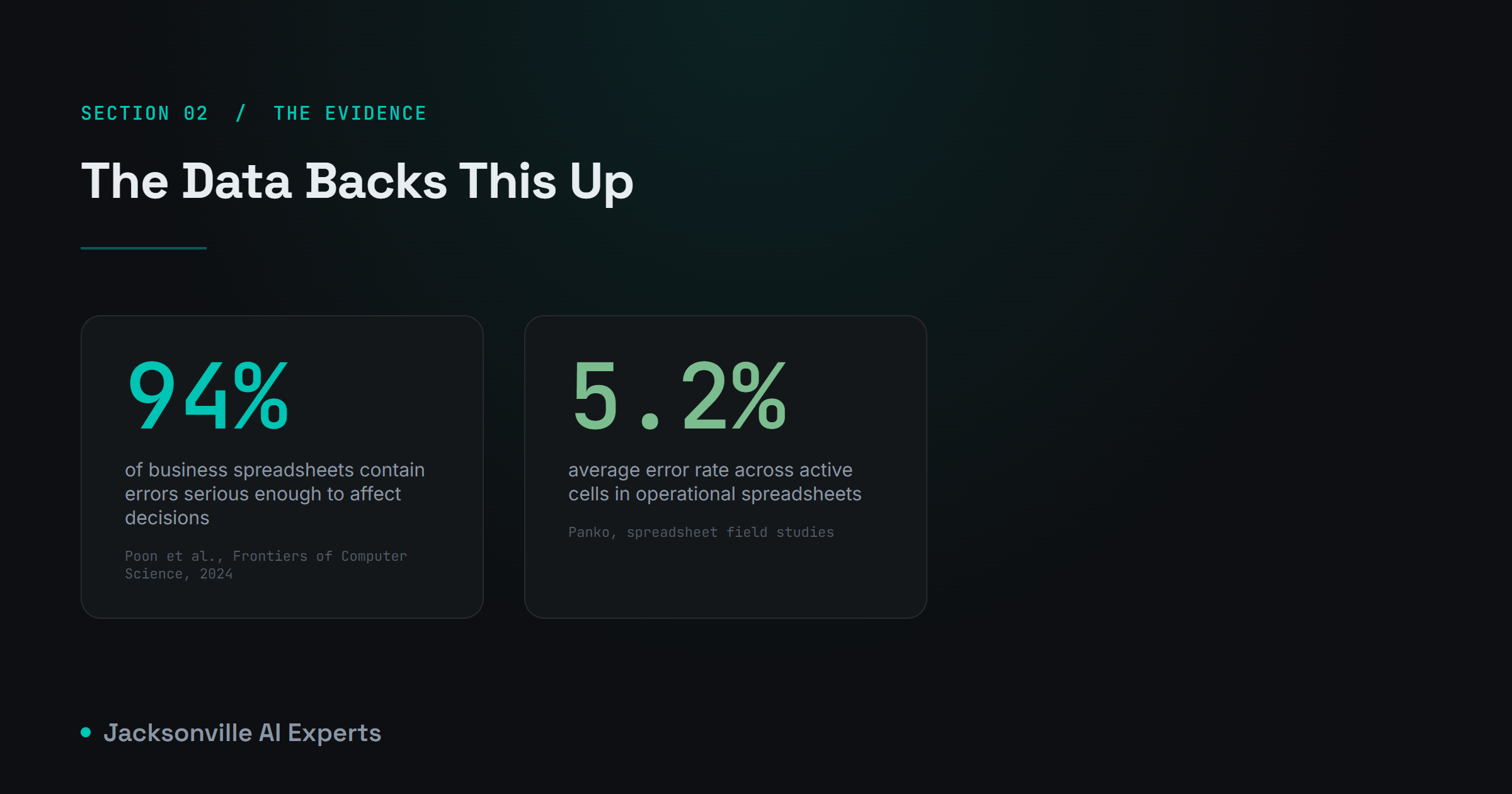
This isn't just an office-anecdote problem. A 2024 literature review published in Frontiers of Computer Science, led by Prof. Pak-Lok Poon, examined 35 years of spreadsheet research and found that 94% of spreadsheets used in real business decision-making contain errors serious enough to affect the decisions built on them.
Researcher Raymond Panko's widely cited body of work on spreadsheet auditing reviewed thirteen field studies of operational spreadsheets over nearly a decade and found an average cell error rate of about 5.2% — meaning roughly one in twenty active cells in a typical business spreadsheet contains a mistake.
The part that should worry you more than the error rate itself is the confidence gap. In studies on spreadsheet-building behavior, people estimate their own odds of making an error somewhere between 10% and 18%. In reality, 86% of participants had already made one. Nobody thinks their spreadsheet is the broken one. Statistically, it usually is.
There's a second layer here specific to AI. Gallup's Q1 2026 workforce survey of over 23,000 U.S. employees found that office and administrative support workers report some of the lowest AI productivity gains of any job category — well behind healthcare, technical, and managerial roles. That's not because AI is worse at spreadsheet and admin work. It's because the tasks are being handed to AI vaguely ("clean up my spreadsheet") instead of with the kind of specific structure a financial tracker actually needs. Vague input produces vague output, whether a person or a model is on the other end.
The Reframe: Build Assumptions-First
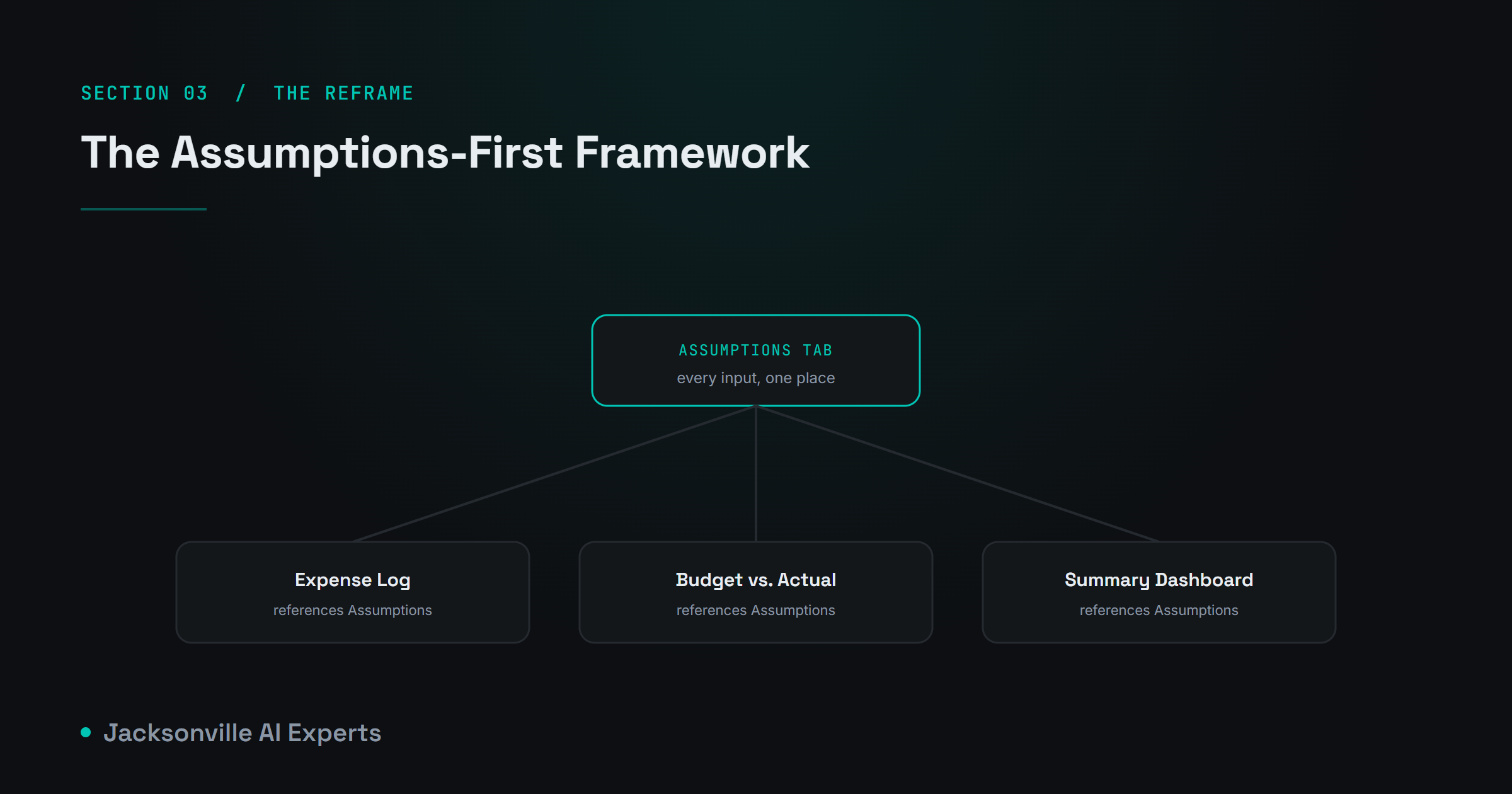
Here's the shift that fixes almost everything above: stop building formulas first and start building an Assumptions sheet first.
Every number your spreadsheet depends on — a tax rate, a commission percentage, a recurring cost, a growth estimate — gets its own labeled cell on a dedicated Assumptions tab. Nothing downstream ever hardcodes a number directly into a formula. Every formula in every other tab references back to that one cell. If the tax rate changes, you update it in exactly one place, and the entire spreadsheet recalculates correctly, because nothing else ever memorized that number independently.
This sounds like a small change. It's the difference between a spreadsheet that survives a personnel change and one that doesn't. When every assumption lives in one visible, editable, labeled location, anyone can audit the whole system by reading down one column, instead of hunting through formulas tab by tab trying to find where a number is actually coming from.
How to Actually Build This, With AI Doing the Scaffolding

You don't have to build this structure cell by cell. This is exactly the kind of scaffolding work an AI tool is good at, provided you give it a structure to build against instead of a vague request.
The workflow I use: describe the purpose of the spreadsheet in one sentence, list the sheets you need and what each one tracks, specify your formatting requirements, and then — this is the part that matters most — ask the AI to list its assumptions before it builds anything. This last step is what keeps you in control. The AI proposes the numbers it's about to use as defaults; you correct the ones that are wrong before a single formula gets written, instead of finding the mistake three tabs deep after the fact. AI writer Ruben Hassid popularized a version of this exact prompt structure for building spreadsheets with Claude, and it holds up well for financial trackers specifically, because "list your assumptions before you execute" is just the Assumptions-first framework, stated as an instruction.
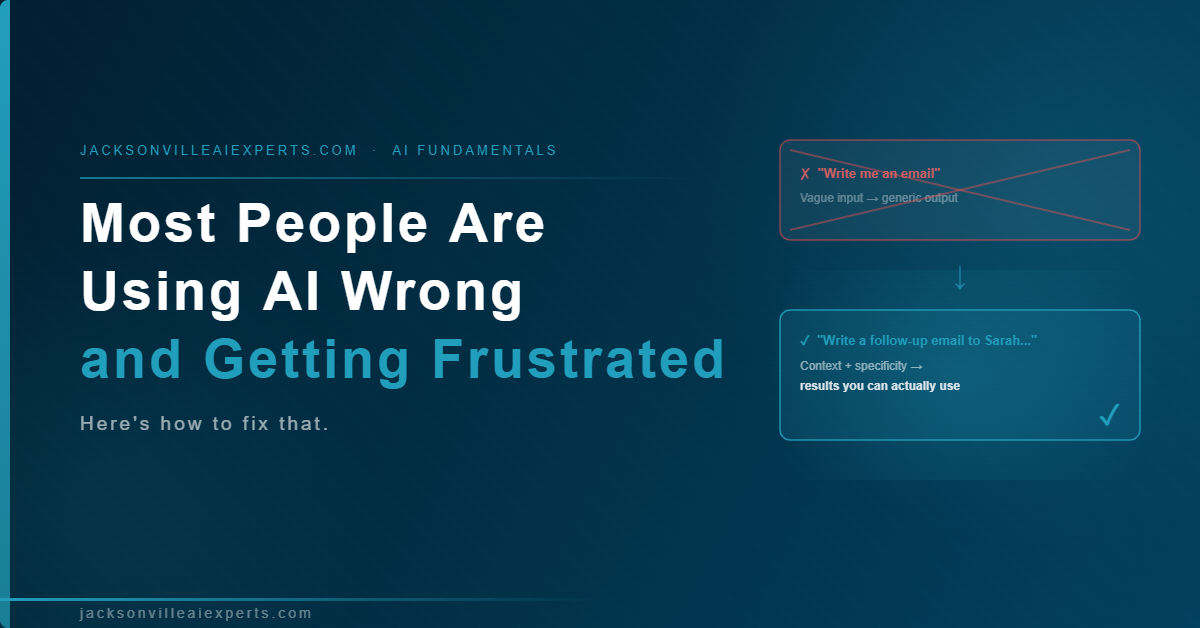
Once the structure is in place, this is a case where getting specific with your AI tool pays off directly — the same principle covered in Most People Are Using AI Wrong and Getting Frustrated Because of It: a vague request like "build me a budget spreadsheet" gets you a generic template, while a request that names your sheets, your categories, and your formatting rules gets you something you can actually hand to your owner on day one.
Practical Steps

- Write your one-sentence purpose statement. Who uses this spreadsheet and what decision does it support? "This tracks monthly expenses so I can report variance to the owner every Friday" is specific enough to build from. "Track our spending" is not.
- List your sheets before you touch a formula. Decide what each tab tracks and what each row represents. An Assumptions sheet, an Expense Log, a Budget vs. Actual comparison, and a Summary dashboard is a solid default for most small offices.
- List every input your spreadsheet depends on. Tax rates, recurring costs, categories, thresholds for flagging overspend. Every one of these becomes a labeled cell on your Assumptions sheet, not a number buried in a formula.
- Prompt your AI tool with structure, not a vague ask. Give it the purpose, the sheets, the formatting rules, and explicitly ask it to list its top assumptions before building. Correct those assumptions before it executes.
- Sanity-check the first output against a number you already know. Before you trust a new tracker's totals, run one month you've already reconciled by hand through it and confirm the numbers match.
- Build a Project for this if it's a recurring task. If you're rebuilding or updating a financial tracker regularly, set it up the way described in How to Set Up AI for Your Entire Team in 7 Days — load your Assumptions sheet, your formatting standards, and a sample report as standing context so you're not re-explaining your setup every time.
- Set a monthly ownership check. One person owns the Assumptions sheet. Not the whole spreadsheet — just that one tab. Everything else can be edited more loosely, but drift starts the moment two people think they own the inputs.
Frequently Asked Questions

Can AI build an entire financial tracking spreadsheet from scratch? Yes — tools like Claude can scaffold sheets, formulas, and formatting from a written description in minutes. The tradeoff is that the AI's default assumptions (tax rates, categories, thresholds) need your review before you trust the output, which is why listing assumptions before execution matters.
Is it safe to put financial data into an AI tool? It depends on the tool and your data sensitivity. For real dollar figures tied to a specific business, use a paid, business-grade AI plan with clear data-handling terms rather than a free consumer tool, and avoid pasting in anything you wouldn't put in a shared company drive.
Should I use Excel or Google Sheets for financial tracking? Google Sheets is generally easier to share and collaborate on in real time; Excel handles very large, formula-heavy models slightly better. Most small office financial trackers work fine in either — the structure matters far more than the platform.
How often should a financial tracking spreadsheet actually be reviewed? Monthly, at minimum, and immediately after any change to a tax rate, cost, or category that feeds your Assumptions sheet. Spreadsheets that go unreviewed for a full quarter are where the 94% error-rate statistic tends to show up.
What's the single biggest mistake office managers make building these? Hardcoding a number directly into a formula instead of pulling it from a labeled Assumptions cell. It looks harmless the day you build it and becomes untraceable the day someone else has to fix it.
The Close

Susan's spreadsheet didn't fail because she's bad at Excel. It failed because nobody ever told her that a financial tracker is a structure with a shape, not just a grid that grows one column at a time. Build the shape first — assumptions isolated, one source of truth, one owner — and the formulas take care of themselves, whether you write them yourself or hand the scaffolding to an AI tool and check its work.
Keep Learning
- How to Set Up AI for Your Entire Team in 7 Days — build a dedicated AI Project for recurring financial reporting instead of starting from scratch every month.
- Most People Are Using AI Wrong and Getting Frustrated Because of It — why specific instructions (and examples) get you usable AI output instead of generic drafts.
- How to Automate Repetitive Tasks With AI and Save Your Department Time — the broader case for handing recurring, structured work to AI safely.
- How Do You Build a Spreadsheet That Keeps an Event (or a Team) From Falling Apart? — the companion piece on event and task tracking spreadsheets.
About the Author
Jason Wyatt is the founder of Jacksonville AI Experts, where he helps local businesses set up AI tools that actually get adopted instead of abandoned after a week. He writes regularly about practical, no-hype AI workflows for small offices and teams.


0 Comments